Saturday, 17 May 2008

Problems loading Oracle Forums in a browser?

I had this with my old laptop and thought that is my "overloaded" FireFox with all those extensions. However, that continued with my new notebook as well. Now, I noticed this is not only FireFox but also the same thing happens when I use Internet Explorer (which I use only then when I need to open the same ApEx application twice).

See the picture below. It looks like while loading the forum the page is not rendered completely. This behaviour is only there when using Oracle Forums and they happen in both cases - while loading the main page or a single thread. Therefor my question to all readers of this blog: have you ever noticed something like that? I have this from time to time regardless of the connection I use. Currently, I use DSL 16000.


Monday, 12 May 2008

Limit or Extend a Datepicker in ApEx

I have received a couple of questions per email, similar to this one on limiting the value of a date picker item. That shows this is an issue that needs to be solved from the development team. Whereby this is an easy issue. If you look behind the code, you will se there are one procedure and one view involved. The procedure code is generating a small pop-up window showing a calendar based on the number of the years the view is returning. I managed to get that customized by doing the following:

First of all, create a package like this:

1.

CREATE OR REPLACE PACKAGE limit_datepicker
AS
x NUMBER;
y NUMBER;

FUNCTION get_x
RETURN NUMBER;

FUNCTION get_y
RETURN NUMBER;

PROCEDURE show_as_popup_calendar (
p_request IN VARCHAR2 DEFAULT NULL,
p_title IN VARCHAR2 DEFAULT NULL,
p_yyyy IN VARCHAR2 DEFAULT NULL,
p_mm IN VARCHAR2 DEFAULT NULL,
p_dd IN VARCHAR2 DEFAULT NULL,
p_hh IN VARCHAR2 DEFAULT NULL,
p_mi IN VARCHAR2 DEFAULT NULL,
p_pm IN VARCHAR2 DEFAULT NULL,
p_element_index IN VARCHAR2 DEFAULT NULL,
p_form_index IN VARCHAR2 DEFAULT NULL,
p_date_format IN VARCHAR2 DEFAULT 'MM/DD/YYYY',
p_bgcolor IN VARCHAR2 DEFAULT '#336699',
p_white_foreground IN VARCHAR2 DEFAULT 'Y',
p_application_format IN VARCHAR2 DEFAULT 'N',
p_lang IN VARCHAR2 DEFAULT NULL,
p_application_id IN VARCHAR2 DEFAULT NULL,
p_security_group_id IN VARCHAR2 DEFAULT NULL,
p_start_year IN NUMBER DEFAULT 1919,
p_end_year IN NUMBER DEFAULT 2050
);
END limit_datepicker;
/

CREATE OR REPLACE PACKAGE BODY limit_datepicker
AS
FUNCTION get_x
RETURN NUMBER
IS
BEGIN
RETURN limit_datepicker.x;
END get_x;

FUNCTION get_y
RETURN NUMBER
IS
BEGIN
RETURN limit_datepicker.y;
END get_y;

PROCEDURE show_as_popup_calendar (
p_request IN VARCHAR2 DEFAULT NULL,
p_title IN VARCHAR2 DEFAULT NULL,
p_yyyy IN VARCHAR2 DEFAULT NULL,
p_mm IN VARCHAR2 DEFAULT NULL,
p_dd IN VARCHAR2 DEFAULT NULL,
p_hh IN VARCHAR2 DEFAULT NULL,
p_mi IN VARCHAR2 DEFAULT NULL,
p_pm IN VARCHAR2 DEFAULT NULL,
p_element_index IN VARCHAR2 DEFAULT NULL,
p_form_index IN VARCHAR2 DEFAULT NULL,
p_date_format IN VARCHAR2 DEFAULT 'MM/DD/YYYY',
p_bgcolor IN VARCHAR2 DEFAULT '#336699',
p_white_foreground IN VARCHAR2 DEFAULT 'Y',
p_application_format IN VARCHAR2 DEFAULT 'N',
p_lang IN VARCHAR2 DEFAULT NULL,
p_application_id IN VARCHAR2 DEFAULT NULL,
p_security_group_id IN VARCHAR2 DEFAULT NULL,
p_start_year IN NUMBER DEFAULT 1919,
p_end_year IN NUMBER DEFAULT 2050
)
IS
BEGIN
limit_datepicker.x := p_start_year;
limit_datepicker.y := p_end_year;
wwv_flow_utilities.show_as_popup_calendar (p_request,
p_title,
p_yyyy,
p_mm,
p_dd,
p_hh,
p_mi,
p_pm,
p_element_index,
p_form_index,
p_date_format,
p_bgcolor,
p_white_foreground,
p_application_format,
p_lang,
p_application_id,
p_security_group_id
);
END;
END limit_datepicker;
/


2. GRANT EXECUTE ON limit_datepicker TO PUBLIC;

3. CREATE OR REPLACE PUBLIC SYNONYM limit_datepicker FOR <<your_schema>>.limit_datepicker;

To be able to limit the values the view returns you need to do the following:

1. log in a SYS

2. ALTER SESSION SET current_schema=FLOWS_030000 (yor flows schema, FLOWS_030000 in my case)

3.

CREATE OR REPLACE VIEW wwv_flow_years
AS
SELECT NVL (b.start_year - 1, 1918) + LEVEL
FROM DUAL a,
(SELECT limit_datepicker.get_x start_year
FROM DUAL) b,
(SELECT limit_datepicker.get_y end_year
FROM DUAL) c
CONNECT BY LEVEL < NVL ((c.end_year + 1) - (b.start_year - 1),
2051 - 1918)


The view will now return the same result for the standard date picker or the value you request if you use the custom date picker.

And finaly, create the following on your page, which will contain the date picker item, limiting the years to the values you determine;

1. Create a hidden item on your page (Page 1 in my case)

P1_SECURITY_GROUP_ID

with a source PL/SQL Expression or Function

htmldb_custom_auth.get_security_group_id

2. Create the javascript and put it in the header of your page. Please note, you need to take care of the parameters yourself - for example p_yyyy or p_mm:

<script type="text/javascript">
function f_popup_date(p_this)
{
var item_name = $x(p_this).name
var app_id = &APP_ID.
var sec_gr_id = $x('P1_SECURITY_GROUP_ID').value

w = open("limit_datepicker.show_as_popup_calendar" +
"?p_element_index=" + escape(item_name) +
"&p_form_index=" + escape('0') +
"&p_date_format=" + escape('DD-MON-RR') +
"&p_bgcolor=" + escape('#666666') +
"&p_dd=" + escape('') +
"&p_hh=" + escape('') +
"&p_mi=" + escape('') +
"&p_pm=" +
"&p_yyyy=" + escape('2008') +
"&p_lang=" + escape('en') +
"&p_application_format=" + escape('N') +
"&p_application_id=" + escape(app_id) +
"&p_security_group_id=" + escape(sec_gr_id) +
"&p_start_year=" + escape('2007') +
"&p_end_year=" + escape('2008') +
"&p_mm=" + escape('01'),
"winLov",
"Scrollbars=no,resizable=yes,width=258,height=210");
if (w.opener == null)
w.opener = self;
w.focus();
}
</script>


You will need to replace the values to what you need (2007 to 2008 in my case).

3. Date-Picker Item (P1_DATE_FROM in my case) is a normal text item with the following code in the Post Element Text:


<a href="javascript:f_popup_date('P1_DATE_FROM');">
<img src="/i/asfdcldr.gif"
style="cursor:pointer;valign:bottom" /></a>


The downside of this approach is that you need to modify one of the apex views and take care you recreate it after the next update. I still didn't have time to find out why this doesn't work on XE. I will have a look into that issue soon and post the results here.



Wednesday, 30 April 2008

Cascading Select List in a Tabular Form

This is something the most of the ApEx Developers have a problem with. How do I create a cascading select list in a tabular form? There are several examples (also in my Demo Application) on how to do that in a simple form. However, there is only one example arround showing how this can be done - in Vikas application, but I don't like that approach. I have also been asked several times to create such an example. Here we go! In my Demo Application you will find a working example showing also how to create an update and delete process + some javascript for checking and highlighting of all rows in your tabular form:

http://htmldb.oracle.com/pls/otn/f?p=31517:176


This approach is using apex_item + the same javascript (ajax) code as for the "simple" cascading select list.

Apply for an account if you would like to see all of the code behind this example.


Monday, 28 April 2008

XE Webfolder with Vista

If you work with Vista and would like to create a Web Folder according to this tipp from Dietmar Aust, you will not be successful. In Vista there are some changes made and the path described in the above post will give you a view only.

In Vista you need to do the following:

1. Open Windows Explorer and go to Menu Tools / Map Network Drive

2. There, you click on "Connect to a Web site that you can use to store your documents and pictures"

3. Click two times on "Next" (don't ask me why!)

4. Enter http://127.0.0.1:8080/i where it asks you for an Internet or Network address,

5. Enter system / password

6. Give your connection a name

7. Finish.

Now, the images directory will appear in your Windows Explorer under Webfolder:


Sunday, 6 April 2008

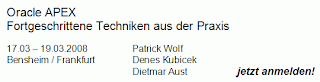
ApEx Training - München 02.06.2008 - 04.06.2008

Liebe ApEx-ler,

Unser nächstes Training - Fortgeschrittene Techniken aus der Praxis - wird in München im Arabella Sheraton Westpark Hotel stattfinden. Die Details für die Anmeldung findet Ihr auf Opal Consulting.

Wir versprechen (und halten):

- Interessante und neue Inhalte
- hohen Praxisbezug
- Kompetenz in Oracle und ApEx Themen
- Antworten auf alle Ihre Fragen

und freuen uns Euch dort begrüssen zu dürfen.


----------------------------------------------------------------------------------------------------------------------
Our next Training will be held in Munich from 02.06.2008 to 04.06.2008 in Arabella Sheraton Westpark Hotel. The details you can find on Opal Consulting. Please note that places are limited and there has been a great deal of interest in the training following the previous event in March 2008. We advise you to register a.s.a.p.


Tuesday, 1 April 2008

ApEx Training - followup

This was my first ApEx-only training. I can't remember when I last time spoke in front of that many people (at school perhaps). However, this was an amazing experience. ApEx is really something special - amazing people, exciting topics and a lot of enthusiasm. Also, there were 8 female attendees at our training which I think is great quote. Here some pictures from our training (actually, we were so busy that we managed to take only these two ;)):


The program schedule was quite well loaded and we didn't manage to elaborate on everything. Our schedule was also quite aggressive - training from 9 - 17.30 and QA Sessions from 19 to 21 (planned time - indeed it was 23 when we quit). Amazing to see 80% of the attendees sitting there at 7 in the evening preparing for the QA.

Tomorrow, we will post the details of our next training in Munich.

Manual Tabular Form

Today, I answered an interesting question in the ApEx Forum. Basically, the requirement was to have a tabular form which allows only new records to be edited. Tabular forms are a powerful feature but also something the most of the ApEx developers have a problem with. The manual from the How-To's is outdated, confusing and it is also incorrect in several issues. Also, there are not many other resources in the community dedicated to the problem of operating with tabular forms. This is why I decided to create an example showing several important techniques for mastering this topic. I also posted the most of the code you need to get it working that way:

- highlighting selected rows
- validating the checksum
- disabling columns not allowed for editing
- adding rows to tabular form (one or multiple)
- operating with apex_item package

See the example in my Demo Application. If you want to see more, you may send me an email and join the group of 250 registered users of my Workspace.


A similar example was one of the topics in our training two weeks ago and was created by Patrick Wolf and myself.


Thursday, 6 March 2008

ApEx Training - Update

This posting is targeting the German ApEx comunity and is therefor also posted in German language:

Hallo liebe ApEx-ler. Unser Kurs im März http://www.opal-consulting.de/training ist leider seit etwa zwei Wochen ausgebucht. Wir planen einen neuen für Anfang Juni in München, da die Anfrage unerwartet gross ausfiel. Gleich nach dem Abschlus vom Training im März, werden wir den neuen Termin auf unserer Seite publizieren. Falls Sie bis dahin nicht warten wollen, können Sie uns auch gerne eine E-Mail an training@opal-consulting.de zuschicken und einen Platz vorreservieren.

Hello ApEx community. Our Workshop in March http://www.opal-consulting.de/training has been fully booked since almost two weeks. We are planing another one beginning of June in Munich. We will post the details right after the workshop in March.
 

Friday, 22 February 2008

ApEx Flashchart Headache

Something like this can drive you nuts. I lost several hours trying to figure out why something that is supposed to work (and I do see it working), doesn't work for my customer. I created a simple drill-down chart and did my usual testing. After completing the work, I forwarded it to my customer to see if everything is as they expected. However, they complained it didn't show the right values. It took me a while to remember I answered one similar question in the forum here by proposing a workarround. I do my work in FF and my customer uses IE. There we go.

The problem seem to be simple - IE doesn't refresh a flash chart once the link has been used for the second time within a session. I was curious and checked if this is also the case with XML Charts. XML Charts did behave the same way if I used IE. It was easy to solve the problem with XML Chart package by adding an additional parameter to the link in form of a random number

v_random := DBMS_RANDOM.random;

After adding this, the problem was not there any more. I think, the same needs to be done with the Flash Charts in ApEx in one of the next releases. Eventually using the same method.

If you want to see a practical example of what I'm talking about, go to my Demo Application

http://apex.oracle.com/pls/otn/f?p=31517:169

and follow these steps:

1. Use IE (Internet Explorer),

2. Make sure your Internet Options / Browsing History / Settings is either set to "automatically" or "never",

3. Make a round trip and click all three pie slices of the pie chart showing departments,

4. After you click on any of the slices for the second time, the second flash chart will not show you the right result but will remain the same all the time.

5. You will need to submit the page in order to get the values change.

And now, the best thing is that the XML Chart will always show the right values. Even if the IE settings Internet Options / Browsing History / Settings are set to "never".


Wednesday, 13 February 2008

ApEx Item - Workarround

There may be some cases where you need to use apex_item (although, Patrick Wolf doesn't think so). The downside of that approach is:

1. your Query looks awkward,

2. you can't sort on your columns,

3. you can't display your column totals

In case you didn't know, you may use a trick to work around that problem:

a) crate a normal query like this:

SELECT LPAD (ROWNUM, 4, 0) ROW_NUM, deptno, empno, ename,
sal, comm
FROM emp

b) In the HTML expression of your columns put the following for each column accordingly:

<input id="f03_#ROW_NUM#" type="text" style="text-align: right;"
value="#EMPNO#" maxlength="4" size="4" name="f03"/>

c) You may use the items in your custom update process and in your javascript the same way you do when you use apex_item or the wizard generated table.

Now, you may create column totals and sort on such created items. And your SQL query looks much better.

As always, there is a proof of concept in my Demo Application on this page http://htmldb.oracle.com/pls/otn/f?p=31517:168.

By the way. Around 100 people from all over the globe asked and received a personal account for the Demo Application. If you are also interested to look behind the curtains, please feel free to send me an email with your contact details.


Friday, 8 February 2008

Sorting on apex_item

If you use apex_item syntax in your query, you will not be able to sort on the columns in a way you would expect because ApEx will sort the column on the string you use as input. This means it will sort on something like

<input id="f04_9" type="text" style="text-align: right;" value="2300" maxlength="12" size="12" name="f04"/>

To overcome this problem you may want to use the following in front of your apex_item:

'<INPUT TYPE="HIDDEN" VALUE="'
|| LPAD (sal, 20, '0')
|| '" />'
|| apex_item.text (4,
TO_CHAR (sal),
12,
12,
'style="text-align:right" ',
'f04_' || ROWNUM,
NULL
) sal_editable


You could use any other value instead of the original one as well (ROWNUM, ename) and use it for sorting.

Here, you will find a working example:

http://htmldb.oracle.com/pls/otn/f?p=31517:167

Enjoy.


Tuesday, 5 February 2008

Filtering a Shuttle Item

Very often a shuttle item is much convenient than a multiselect list. But what if your LOV has many hundreds or even thousands of items? Check this example:

http://htmldb.oracle.com/pls/otn/f?p=31517:166


The most of the code can be reused except of the application process. However, this
could be written as a dynamic PL/SQL block as well.

The example I used is based on a table containing around 5000 records. Having in mind this runs on apex.oracle.com, the performance of filtering is quite satisfying.


Thursday, 31 January 2008

Report with Filtering

As far as I know, something similar should be a part of the ApEx version 3.1. Nevertheless, I wanted to know if I can do something like that myself. The requirement is:

1. a report containing a search field for each column (textfield, select list or other)

2. after typing in the select criteria, the report should filter the results,

3. no page submit required.

Here is the result of what I came up with. It is quite easy (and dirty). There, you will also find the full code I used, except of the DHTML Region Pull. That one, you can find in the Carl's Demo Application.


The downsides of this example:

a) the code is not generic - you got to do that yourself ;)

b) the sorting on the column headers doesn't work in that particular example - I avoided that since it would mean a much more work.

Maybe, you will find it usefull and apply it on one or the other case.


Tuesday, 22 January 2008

ApEx Training

This posting is targeting the German ApEx comunity and is therefor posted in German language:

Wie Sie möglicherweise schon gehört haben, organisieren Patrick, Dietmar und ich einen ApEx Training im März dieses Jahres. Dieses Training heisst "Fortgeschrittene Techniken aus der Praxis". Das bedeutet natürlich nicht, dass diejenigen, die sich anmelden wollen, fortgeschrittene Kentnisse mitbringen müssen. Vielmehr ist unser Ziel, eine Schulung zu organisieren, die stärker praxisorientiert ist als wir das ansonsten kennen. Wir werden viele wichtige Themen ansprechen - vom Anwendungskonzept, über Layout bis zu den ganz modernen Themen wie z.B. Ajax. Interesse? Ueber dieses Link geht es zu den Infos und zur Anmeldung

http://www.opal-consulting.de


Wir freuen uns Sie begruessen zu duerfen!


Tabular form - updating a value in another column Vol. 2

If you need to deal with a tabular form created by the wizard, you will need to use a slightly different approach. I discussed that topic yesterday evening with Patrick Wolf. The difference to the first approach you can find here:

ApEx Demo Appication - Javascript Set Display Item II
.

The full explanation and the code are there as well. Basically, what you need to change is the way you get the rownum. Using $x(this).id will give you the current item id. Substr(4) will give you the last four digits of it (thanks Patrick) and putting that four digits in the Number() function gives you the row number (ROWNUM). You could use that value to loop through the table and update other values, not corresponding to that particular row.


Access to my Workspace

My workspace dkubicek and my ApEx Demo Application on apex.oracle.com still show around 3000 page clicks per day in average. Google Analytics says there are up to 300 visitors with an average time on site of 11 minutes. 30% of the visitors are visiting the site for the first time.

Yesterday, I changed the login for the guest user in my workspace. In the past I was allowing access to my workspace with the same login as well. However, this showed to be a bad practice. Once, the application was deleted by someone and I needed my backup to restore it. Now, I require your email and your full name to give you your own access. But, I still need to ask you not to do any changes and especially not to install other applications in my workspace.


If you want an access to the workspace where the ApEx Demo Application is stored, please send me your email with your contact details and I will respond to you with a username and a password.


Monday, 21 January 2008

Tabular form - updating a value in another column Vol. 1

Just recently, I had a requirement from one of my customers to create a kind of a form similar to excel, where user could update particular columns and this update will be applied (calculated) to the other columns, before the form is submitted.

First, I tried the solution posted in the forum, where you need to loop through a table using html_CascadeUpTill and and then find the row position. In some constelations this didn't work (vertical report template). I decided to look for alternate solutions and found out that this can be done in a more transparent way by simply using apex_item package and the ROWNUM. Also, the javascript code you need to do the update is much more transparent and much easier to debug. I also created a validation process to make sure only numbers are entered and an update statement for saving the changes to the corresponding table.

If you want to see a working example, go to my ApEx Demo Appication. There, you will find the full code.


Thursday, 10 January 2008

ApEx Stammtisch - ApEx Meeting in Siegburg

Dietmar and myself would like to establish regular meetings for the ApEx community in Germany. Therefor, we will start with our first meeting ("Stammtisch" in German) in Siegburg, on January 15, 2008. The target is to exchange the experience with other colleagues from the ApEx community. Further details you can find here:

http://www.opal-consulting.de

You are welcome to join us,

Denes

-----------------------------------------------------------------------------------------------------------------

Es war Dietmars Idee, einen sog. ApEx Stammtisch zu etablieren! Er hat sie am Ende auch umgesetzt (Danke Dietmar!). Wir starten am 15.01.2008 in Siegburg. Der Plan ist diese Runde in regelmässigen Abständen zu organisieren, um die Erfahrungen aus der ApEx-Welt auszutauschen. Die Anmeldung zum Stammtisch findet ihr hier:

http://www.opal-consulting.de

Wir freuen uns auf ein Kennenlernen und bis zum nächsten Dienstag.

Denes


Monday, 7 January 2008

Create Virtual Tables Vol.2

Every once in a while a question similar to this one will appear in the forum. The problem is always the same: "how to create a lot of data based on very few records?". Today, one new variation of a puzzle followed. It took me arround half an hour in order to create a demo page, giving an idea on how to solve the problem. Of course, you need much more for a working version of an application.


The example in my demo application


http://htmldb.oracle.com/pls/otn/f?p=31517:158


is related to one of the examples from the past


http://htmldb.oracle.com/pls/otn/f?p=31517:83


which I already blogged about here


http://deneskubicek.blogspot.com/2007/05/create-pseudo-tables.html


Still, this requirement is somewhat new and different. It is worth of looking into it.


Export to Excel - 1500 downloads

The package I created for downloading ApEx reports into Excel (instead of .csv) has now been available for about ten months. Some time after releasing the package I started to count the downloads. There have been more than 1500 downloads so far. There are two versions of the package - one for ApEx and one for XE. The ApEx Package has been downloaded around 1200 times and the XE version arround 300 times. I have to admit I hardly touched the package since the first release. However, it could be improved a lot to cover some functionalities .csv offers. I already talked to Patrick Wolf to put some common efforts into the improvement of the package in the near future. I would also like to thank to Bernhard Kahles and Martin Wibbing for their contributions to the improvments in the past, which helped to overcome some version related limitations.


Here is the link to the package once again.

http://htmldb.oracle.com/pls/otn/f?p=31517:108