
Friday, 26 April 2013
Moving Elements in a Cascading Shuttle
Since APEX 4.0 cascading feature is a part of the standard. Not only a "normal" select list can be cascading but also a shuttle element. In this example I am showing how to filter a shuttle box and move the filtered values to the right side using just one click (change of the first select list).


CLOB Plugin
There is a new plugin available which makes it possible to save and render contents larger than 32k. This limitation was one of the most critical in APEX. I remember several projects where we had to create workarrounds to solve that issue. Now, there is no need to write your own code any more. Dan McGhan created a new plugin for that and you can find it here:
CLOB Load Plugin
The current help regarding asynchronous submit is missing a detail at this point:
"Next, create one more dynamic action. Set Event to CLOB(s) Submit Complete [Enkitec CLOB Load] and set the action to Execute JavaScript Code. Set the Code field to something like the following:
It should also say that the "Selection Type" of the corresponding Dynamic Action is "DOM Object" and the "DOM Object" is "document".
Also, you can leave the hidden element out and modify the javascript call to:
Try it out. It works great.


CLOB Load Plugin
The current help regarding asynchronous submit is missing a detail at this point:
"Next, create one more dynamic action. Set Event to CLOB(s) Submit Complete [Enkitec CLOB Load] and set the action to Execute JavaScript Code. Set the Code field to something like the following:
doSubmit(v('PX_MY_HIDDEN_ITEM'));"It should also say that the "Selection Type" of the corresponding Dynamic Action is "DOM Object" and the "DOM Object" is "document".
Also, you can leave the hidden element out and modify the javascript call to:
doSubmit('SAVE');Try it out. It works great.


Thursday, 25 April 2013
APEX Deep Linking, Authentication and Special Characters
It seem that there is a bug in APEX regarding deep linking, authentication and parsing special characters. See this thread. In this example I am showing a simple workarround which could be also applied in other similar situations where you need to transfer information using URL.


Saturday, 20 April 2013
jQuery - my first functions
I still remember how hard it was to make something like this working before the APEX version 4.0. You needed to create a function and then attach it to each column in your tabular form. Debugging and making changes is the next issue you had to think about. Now, using jQuery it is just a two three simple steps solution with almost no hardcoding and tricks. Also, the number of code lines you need to write is quite moderate. See this example in my demo application:
https://apex.oracle.com/pls/apex/f?p=31517:279

https://apex.oracle.com/pls/apex/f?p=31517:279

Tuesday, 19 March 2013
Select List with Dynamic LOV and ORA-06502: PL/SQL: numeric or value error: character string buffer too small
If you need to create a dynamic SQL for a select list or any other type of a LOV, your query should not exceed 4000 characters. In case it does, you will get the "ORA-06502: PL/SQL: numeric or value error: character string buffer too small" error. That is the internal limitation of the APEX table storing the item attribute information. In case you can't rewrite your SQL to satisfy this limitation, you may use the package I created for that purpose. It is quite simple and it does the following:
1. It will use the apex_collection package to parse the query and crate a collection
2. It will query the collection and use a pipelined function to return a simple LOV (SELECT d, r FROM table)
You can also use the get_long_dynamic_query function in the package to generate your dynamic SQL. The example at apex.oracle.com I provided extends the query with "dummy" conditions in order to make it long enough and prove the concept.

1. It will use the apex_collection package to parse the query and crate a collection
2. It will query the collection and use a pipelined function to return a simple LOV (SELECT d, r FROM table)
You can also use the get_long_dynamic_query function in the package to generate your dynamic SQL. The example at apex.oracle.com I provided extends the query with "dummy" conditions in order to make it long enough and prove the concept.

Saturday, 16 March 2013
Formating and Exporting a Report Column
Sometimes you need to format a report column and if you need to do that
in the report SQL, you will be faced with a problem while exporting the
report - the formatted values will be exported 1:1 and you will see
those
ugly html tags among the exported data. In early days of APEX people
recommended using two columns - one to display in a report and hide it
while exporting and one hidden column used for exports only instead. You
would then use a condition like this:
to says not to export or the opposite one:
to say to export.This solution may work with a standard report but it can't be used efficiently with Interactive Reports.
Just in case you didn't know, you can solve that problem easily. See this example at apex.oracle.com. There, I am using a function to format a string and use the value of the current request to see if the report is simply getting rendered on the page or exported. If the report is exported, I will not use the formatting tags and return the values as it was parsed.

apex_application.g_excel_format = FALSE
to says not to export or the opposite one:
apex_application.g_excel_format = TRUE
to say to export.This solution may work with a standard report but it can't be used efficiently with Interactive Reports.
Just in case you didn't know, you can solve that problem easily. See this example at apex.oracle.com. There, I am using a function to format a string and use the value of the current request to see if the report is simply getting rendered on the page or exported. If the report is exported, I will not use the formatting tags and return the values as it was parsed.

Thursday, 14 March 2013
APEX Collections and Joins
APEX Collections is one of the best features of APEX. There are situations where solutions wouldn't be possible if this feature would not be available. However, the collections have some limitations. One of the limitations is if you need to store number values and use those values to join a collection with other tables. The consequences may be that you receive something like
The strange thing with this error is that it may occur sporadic and you can't realy understand why it happens. If you operate on different systems (development, testing, production) you may receive this error on one of the instances and never on the other one. I asked Patrick Wolf about the reasons and he answered that this has to do with the way the cost based optimizer works. If it uses a different plan from the one you would expect, it may find non numeric values in the same column comming from a different collection. In that case the solution is to use the numeric columns in the collection (n0xx) for storing numeric values used in later joins.
ORA-01722: invalid number
The strange thing with this error is that it may occur sporadic and you can't realy understand why it happens. If you operate on different systems (development, testing, production) you may receive this error on one of the instances and never on the other one. I asked Patrick Wolf about the reasons and he answered that this has to do with the way the cost based optimizer works. If it uses a different plan from the one you would expect, it may find non numeric values in the same column comming from a different collection. In that case the solution is to use the numeric columns in the collection (n0xx) for storing numeric values used in later joins.
Wednesday, 13 March 2013
Upgrade to APEX 4.2.1.00.08 - First Impressions
Today one of my customers upgraded their APEX 4.0 to 4.2.1.00.08. The whole process was completed without any issues. After the upgrade there was only one problem we could notice. Our translated applications didn't work for the other languages then the primary language. Trying to run any of the translated applications would result in an internal error. The reason was that the image path wasn't there for any of the tranlations:

After entering the image path and repeating the neccessary translation steps everything worked well.

After entering the image path and repeating the neccessary translation steps everything worked well.
Sunday, 3 March 2013
Reading a file from an URL and storinig it as a BLOB
In this example at apex.oracle.com you can se how you can use an URL (which normaly provides a save/download dialog for saving or opening a document) to store the document directly in your own table as a BLOB. Unfortunatelly the ACL settings at apex.oracle.com do not allow to get this working there and the working example is just a fake, showing only how this should normaly work.


Thursday, 28 February 2013
Oracle and APEX
This is the text of an email I received as a response after creating an account for my workspace and my demo application at apex.oracle.com:
"Thank you so much. Oracle and APEX has the most amazing network of help and solutions. It is impressive."
"Thank you so much. Oracle and APEX has the most amazing network of help and solutions. It is impressive."
Monday, 18 February 2013
APEX Training 15.04. - 17.04.2013
Wie jedes Jahr in den letzten sechs Jahren, veranstalten wir (Dietmar Aust
und ich) unser
- jQuery (Beispiele und Übungen)
- APEX Collections
- Erstellung von komplexen Forms
- APEX und Mehrsprachigkeit
Wir haben dieses Mal einen ganz speziellen Gast zu der Schulung eingeladen - Christian Rokitta aus den Niederlanden. Er ist ein Experte in Sachen Layoutgestalltung und Mobile Applikationen. Die Teilnehmer der Schulung werden sich gemeinsam für eins dieser Themen entscheiden und Christian wird es vortragen.
Unser Highlight sind auf jeden Fall die abendlichen Q & A Session, in denen die Teilnehmer die Gelegenheit bekommen ihre eigenen Projekte vorzustellen und ihre konkrete Probleme mit uns zu diskutieren.
Die Anmeldung zur Schulung finden Sie hier.

Oracle APEX: Knowhow aus der Praxis
Training in Bensheim an der Bergstrasse. Wir werden unsere bisherigen Themen überarbeiten und einige neue Themen hinzufügen. So werde ich auch folgende neue Themen in das Programm der Schulung aufnehmen:
- jQuery (Beispiele und Übungen)
- APEX Collections
- Erstellung von komplexen Forms
- APEX und Mehrsprachigkeit
Wir haben dieses Mal einen ganz speziellen Gast zu der Schulung eingeladen - Christian Rokitta aus den Niederlanden. Er ist ein Experte in Sachen Layoutgestalltung und Mobile Applikationen. Die Teilnehmer der Schulung werden sich gemeinsam für eins dieser Themen entscheiden und Christian wird es vortragen.
Unser Highlight sind auf jeden Fall die abendlichen Q & A Session, in denen die Teilnehmer die Gelegenheit bekommen ihre eigenen Projekte vorzustellen und ihre konkrete Probleme mit uns zu diskutieren.
Die Anmeldung zur Schulung finden Sie hier.

Saturday, 16 February 2013
Count Substring Occurrences in a String
If you write a lot of PL/SQL code, sooner or later you will be faced with a requirement to count the number of occurrences of a substring in a string. In that case you may use this example to help yourself:
http://apex.oracle.com/pls/apex/f?p=31517:282
It will search not only for a single character withing a string but also for a substring of any length up to 4000 characters.
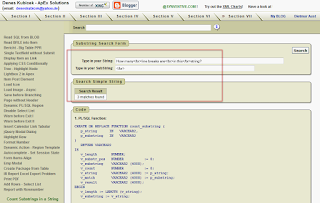
http://apex.oracle.com/pls/apex/f?p=31517:282
It will search not only for a single character withing a string but also for a substring of any length up to 4000 characters.

Thursday, 14 February 2013
APEX Authentication Function
Did you
know that an authentication function in APEX is not used the way a function
actually should be used? Normally, this
function has two input parameters and it will return TRUE or FALSE. However,
you will name this function in your authentication schema by typing it into a
box, without providing any parameters. I have never looked into that but my assumption
is that APEX will probably create a kind of a dynamic function call by providing
the parameters using login items (:p101_username, :p101_password) from your
login page (101).
Now, it may
happen to you that you not just only copy / paste the code in your new
application but you decide for some reason to write your authentication
function from scratch. There is one important thing you shouldn't forget: You
can not name the function input parameters as you like. Otherwise, the function
will not work. It will cause an error like this:

This error
message is a bit confusing and it may make you busy for a while. At least it
does that with me from time to time.
Saturday, 1 December 2012


APEX - Statement of Direction
The new Statement of Direction is touching a couple of interesting things. Here are the three most important:
I think this is quite exciting and I can hardly wait to see it working. Theses are of course only the most important details. We will probably see a lot of other smaller things changing and improving.
I would like to add a couple of wishes to the list if not too late:
- New Multi-Row Edit Region Type – Define a new region type with a modern UI for updating multiple rows of data and allow multiple regions on one page
- Master / Detail / Detail – Provide a wizard interface to define declarative master/detail/detail regions.
- Multiple Interactive Reports – Allow any number of Interactive Reports to be defined on a single page.
I think this is quite exciting and I can hardly wait to see it working. Theses are of course only the most important details. We will probably see a lot of other smaller things changing and improving.
I would like to add a couple of wishes to the list if not too late:
- a wizard for creating tabular forms based on collections
- a wizard for creating single record forms managed by a procedure (package)
- an additional page element feature - update session state on change
- a new page element - simple checkbox
Monday, 5 November 2012
Package for Creating Custom Code
Sometimes you will need to create your own processes for fetching values, validating and updating tables in a form. In some situations the wizard generated form will not be good enough to cover all you need. In that case you need to write your own code. Some programs like TOAD have a routine which generates update or delete procedures for you. However, you need to extend that and it is quite a bit of work. In my Demo Application I made the code available, which does almost all the work for you. This package has a couple of functions able to generate the code which requires only some minor changes. If you ever need to go away from the standard APEX form, you can do that this way:
1. Create the package "create_pkg_from_table" in your schema by running the code from the page I mentioned,
2. Create a form using wizard,
3. Remove the automatic processes and change the standard settings in the page items and use the following setting:
a) Set the "Source Used" to "Only when current..."
b) Set the "Source Type" to "Static Assignment..."
4. Create the custom package related to the table you reference in your form, for fetching, validating, updating and deleting records by running this SQL and executing the output:
1. Create the package "create_pkg_from_table" in your schema by running the code from the page I mentioned,
2. Create a form using wizard,
3. Remove the automatic processes and change the standard settings in the page items and use the following setting:
a) Set the "Source Used" to "Only when current..."
b) Set the "Source Type" to "Static Assignment..."
4. Create the custom package related to the table you reference in your form, for fetching, validating, updating and deleting records by running this SQL and executing the output:
SELECT create_pkg_from_table.create_package ('EMP', 'EMPNO', 1)
  FROM DUAL;
5. Finally, run the following SQL to create the calls to the package functions and procedures you will need in your page processes and validations:
SELECT create_pkg_from_table.create_plsql_block ('EMP', 'EMPNO', 1)
  FROM DUAL;
The only thing you need to do now is to format that code and paste it in the appropriate process.
Friday, 26 October 2012
Goodbye apexblogs.info
http://www.apexblogs.info was a place I visited daily. A couple of days ago this domain was moved to http://www.odtug.com/apex. I am not sure I understand why but it doesn't matter. The only thing is that from the usability perspective this is now at least two steps back.
 The current layout of the page is displaying a couple of logos, advertisements and some general information and the content is not in the focus - 75% of the page is not showing that, what you would actually expect. You need to scroll down to find the content and you need to scroll a lot. There are all together three scrollable regions including the page and if you don't watch you will easily loose the orientation.
Now, the question to ODTUG people would be if this is going to change in the near future. Hopefully there are plans to improve the usability of this popular resource. Otherwise the whole action doesn't make a lot of sense.
The current layout of the page is displaying a couple of logos, advertisements and some general information and the content is not in the focus - 75% of the page is not showing that, what you would actually expect. You need to scroll down to find the content and you need to scroll a lot. There are all together three scrollable regions including the page and if you don't watch you will easily loose the orientation.
Now, the question to ODTUG people would be if this is going to change in the near future. Hopefully there are plans to improve the usability of this popular resource. Otherwise the whole action doesn't make a lot of sense.

Sunday, 14 October 2012
APEX Reporting on Comment Columns
This function may help you if you need to report on columns with a lot of text. It will get rid of the carriage return and will help not to break your reports imported into Excel:
CREATE OR REPLACE FUNCTION x_rep (p_string IN VARCHAR2)
   RETURN VARCHAR2
IS
   v_string   VARCHAR2 (4000);
BEGIN
   v_string :=
      REPLACE (TRANSLATE (p_string, 'x' || CHR (10) || CHR (13), 'x'),
               ';',
               '/'
              );
   RETURN v_string;
EXCEPTION
   WHEN OTHERS
   THEN
      RETURN NULL;
END x_rep;
/
Monday, 1 October 2012
My Demo Application
The link to My Demo Application on apex.oracle.com has been changed from
http://apex.oracle.com/pls/otn/f?p=31517:1
to
https://apex.oracle.com/pls/apex/f?p=31517:1
While trying to open the old link you will receive a funny message:


Sunday, 2 September 2012
APEX 4.2
Today, apex.oracle.com was updated to 4.2. My first impression was good - I haven't seen the early adopter this time. If you have an account at apex.oracle.com you can have a look at the new layout of the apex builder. There are a lot of new features to explore in this version. The focus of this version is mobile development. Enjoy.


Subscribe to:
Comments (Atom)