Thursday, 31 January 2008

Report with Filtering

As far as I know, something similar should be a part of the ApEx version 3.1. Nevertheless, I wanted to know if I can do something like that myself. The requirement is:

1. a report containing a search field for each column (textfield, select list or other)

2. after typing in the select criteria, the report should filter the results,

3. no page submit required.

Here is the result of what I came up with. It is quite easy (and dirty). There, you will also find the full code I used, except of the DHTML Region Pull. That one, you can find in the Carl's Demo Application.


The downsides of this example:

a) the code is not generic - you got to do that yourself ;)

b) the sorting on the column headers doesn't work in that particular example - I avoided that since it would mean a much more work.

Maybe, you will find it usefull and apply it on one or the other case.


Tuesday, 22 January 2008

ApEx Training

This posting is targeting the German ApEx comunity and is therefor posted in German language:

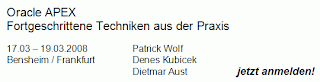
Wie Sie möglicherweise schon gehört haben, organisieren Patrick, Dietmar und ich einen ApEx Training im März dieses Jahres. Dieses Training heisst "Fortgeschrittene Techniken aus der Praxis". Das bedeutet natürlich nicht, dass diejenigen, die sich anmelden wollen, fortgeschrittene Kentnisse mitbringen müssen. Vielmehr ist unser Ziel, eine Schulung zu organisieren, die stärker praxisorientiert ist als wir das ansonsten kennen. Wir werden viele wichtige Themen ansprechen - vom Anwendungskonzept, über Layout bis zu den ganz modernen Themen wie z.B. Ajax. Interesse? Ueber dieses Link geht es zu den Infos und zur Anmeldung

http://www.opal-consulting.de


Wir freuen uns Sie begruessen zu duerfen!


Tabular form - updating a value in another column Vol. 2

If you need to deal with a tabular form created by the wizard, you will need to use a slightly different approach. I discussed that topic yesterday evening with Patrick Wolf. The difference to the first approach you can find here:

ApEx Demo Appication - Javascript Set Display Item II
.

The full explanation and the code are there as well. Basically, what you need to change is the way you get the rownum. Using $x(this).id will give you the current item id. Substr(4) will give you the last four digits of it (thanks Patrick) and putting that four digits in the Number() function gives you the row number (ROWNUM). You could use that value to loop through the table and update other values, not corresponding to that particular row.


Access to my Workspace

My workspace dkubicek and my ApEx Demo Application on apex.oracle.com still show around 3000 page clicks per day in average. Google Analytics says there are up to 300 visitors with an average time on site of 11 minutes. 30% of the visitors are visiting the site for the first time.

Yesterday, I changed the login for the guest user in my workspace. In the past I was allowing access to my workspace with the same login as well. However, this showed to be a bad practice. Once, the application was deleted by someone and I needed my backup to restore it. Now, I require your email and your full name to give you your own access. But, I still need to ask you not to do any changes and especially not to install other applications in my workspace.


If you want an access to the workspace where the ApEx Demo Application is stored, please send me your email with your contact details and I will respond to you with a username and a password.


Monday, 21 January 2008

Tabular form - updating a value in another column Vol. 1

Just recently, I had a requirement from one of my customers to create a kind of a form similar to excel, where user could update particular columns and this update will be applied (calculated) to the other columns, before the form is submitted.

First, I tried the solution posted in the forum, where you need to loop through a table using html_CascadeUpTill and and then find the row position. In some constelations this didn't work (vertical report template). I decided to look for alternate solutions and found out that this can be done in a more transparent way by simply using apex_item package and the ROWNUM. Also, the javascript code you need to do the update is much more transparent and much easier to debug. I also created a validation process to make sure only numbers are entered and an update statement for saving the changes to the corresponding table.

If you want to see a working example, go to my ApEx Demo Appication. There, you will find the full code.


Thursday, 10 January 2008

ApEx Stammtisch - ApEx Meeting in Siegburg

Dietmar and myself would like to establish regular meetings for the ApEx community in Germany. Therefor, we will start with our first meeting ("Stammtisch" in German) in Siegburg, on January 15, 2008. The target is to exchange the experience with other colleagues from the ApEx community. Further details you can find here:

http://www.opal-consulting.de

You are welcome to join us,

Denes

-----------------------------------------------------------------------------------------------------------------

Es war Dietmars Idee, einen sog. ApEx Stammtisch zu etablieren! Er hat sie am Ende auch umgesetzt (Danke Dietmar!). Wir starten am 15.01.2008 in Siegburg. Der Plan ist diese Runde in regelmässigen Abständen zu organisieren, um die Erfahrungen aus der ApEx-Welt auszutauschen. Die Anmeldung zum Stammtisch findet ihr hier:

http://www.opal-consulting.de

Wir freuen uns auf ein Kennenlernen und bis zum nächsten Dienstag.

Denes


Monday, 7 January 2008

Create Virtual Tables Vol.2

Every once in a while a question similar to this one will appear in the forum. The problem is always the same: "how to create a lot of data based on very few records?". Today, one new variation of a puzzle followed. It took me arround half an hour in order to create a demo page, giving an idea on how to solve the problem. Of course, you need much more for a working version of an application.


The example in my demo application


http://htmldb.oracle.com/pls/otn/f?p=31517:158


is related to one of the examples from the past


http://htmldb.oracle.com/pls/otn/f?p=31517:83


which I already blogged about here


http://deneskubicek.blogspot.com/2007/05/create-pseudo-tables.html


Still, this requirement is somewhat new and different. It is worth of looking into it.


Export to Excel - 1500 downloads

The package I created for downloading ApEx reports into Excel (instead of .csv) has now been available for about ten months. Some time after releasing the package I started to count the downloads. There have been more than 1500 downloads so far. There are two versions of the package - one for ApEx and one for XE. The ApEx Package has been downloaded around 1200 times and the XE version arround 300 times. I have to admit I hardly touched the package since the first release. However, it could be improved a lot to cover some functionalities .csv offers. I already talked to Patrick Wolf to put some common efforts into the improvement of the package in the near future. I would also like to thank to Bernhard Kahles and Martin Wibbing for their contributions to the improvments in the past, which helped to overcome some version related limitations.


Here is the link to the package once again.

http://htmldb.oracle.com/pls/otn/f?p=31517:108


Monday, 5 November 2007

Tabular Form on a table without a primary key (multiple primary keys)

One of the questions that frequently appear in the ApEx forum is "How to create a tabular form on a table without a primary key or on a table with multiple primary keys (more than two primary keys allowed by the wizard)?". The solution is simple and interesting - by using a view and two instead of triggers. The view is using the rowid column as a primary key. The two triggers - instead of update and instead of insert triggers - are managing the updates and inserts. See the example plus the corresponding code in my demo application here.


Wednesday, 26 September 2007

Interesting translation

I haven't blogged for a while. Too busy with my own stuff - projects, customers and my own business. Today, I was testing some things and stumbled upon a funny translation. I created a package body and dropped it. Here is what I received back from SQL Plus in German:


Basically, what it says after dropping is:

"Package Body created"

And here is what it says in English:


But still, I like PL/SQL a lot. No doubts about that.


Thursday, 12 July 2007

Displaying and Sorting


Quite often there is a misunderstanding between displaying of a value and sorting upon the same. ApEx reports are giving you a possibility to show one value and sort upon a different value, which you even may not want to show to the user.

As always, I created a small example in my demo application containing a full explanation and a link to the corresponding thread in the forum:

http://htmldb.oracle.com/pls/otn/f?p=31517:153


It is easy to set it up and it shows the power of ApEx once again - it's simplicity.


Wednesday, 13 June 2007

Multiple Reports in one Region


One of frequently asked questions in the forum is "how to put more than one region in
a region?". For example a report and a list or two or more reports. There is a simple way - hardcoded - for solving this problem.

In my Demo Application there is an example showing this:


What I did was the following:

1. I copied a report region template and modified it slightly,

2. Created a copy of my standard page template,

3. Included the report template in it, just before the #BOX_BODY#,

4. In the #BODY# section of the report template, I put the #REGION_POSITION_05# and #REGION_POSITION_06# instead,

5. Now, using the page template and putting the reports in the #REGION_POSITION_05# and #REGION_POSITION_06#, was giving me the result I needed.


Sunday, 3 June 2007

European ApEx Training


I have been asked many times about a possibility to get some good training for ApEx. I think, there is an oracle two-day training on basics. However, what people want is usually more than that. Some weeks ago, the European APEX Training Days of the APEX Evangelists was announced. This will be a 3-day training covering advanced ApEx issues like ajax, security, customizing templates and many, many others.


If you are interested, you can benefit from the knowledge of John and Dimitri.

John is Oracle APEX developer of the year 2006 and is the author of the book "Pro Oracle Application Express" - a person with an Avatar level in ApEx.

Dimitri is a well known contributor on the OTN Oracle APEX forum and speaker at Collab'07. He is a creator of the popular dgturnament application and has many years of experience with Oracle.


Friday, 18 May 2007

ApEx - Replacing Binds Procedure


If you need to use the apex_collection.crate_collection_from_query package, you will need to replace your :P_ITEM binds with v('P_ITEM') in your SQL, in order to get it working. Sometimes, it could be a pain. Using the following procedure will do the work for you:


CREATE OR REPLACE PROCEDURE replace_binds (
p_sql_in IN VARCHAR2,
p_sql_out OUT VARCHAR2
)
IS
v_sql VARCHAR2 (32767);
v_names DBMS_SQL.varchar2_table;
v_pos NUMBER;
v_length NUMBER;
v_exit NUMBER;
BEGIN
v_sql := p_sql_in;
v_names := wwv_flow_utilities.get_binds (v_sql);

FOR i IN 1 .. v_names.COUNT
LOOP

<<do_it_again>>
v_pos := INSTR (LOWER (v_sql), LOWER (v_names (i)));
v_length := LENGTH (LOWER (v_names (i)));
v_sql :=
SUBSTR (v_sql, 1, v_pos - 1)
|| v_names (i)
|| SUBSTR (v_sql, v_pos + v_length);
v_sql :=
REPLACE (v_sql,
UPPER (v_names (i)),
'v(''' || LTRIM (v_names (i), ':') || ''')'
);

IF INSTR (LOWER (v_sql), LOWER (v_names (i))) > 0
THEN
GOTO do_it_again;
END IF;
END LOOP;

p_sql_out := v_sql;
END replace_binds;

And you no longer need to worry about modifying your code.


Tuesday, 15 May 2007

Create Virtual Tables


This is one of frequently asked questions:

"I have only a few lines of data - mostly some dates with a duration from > to - and would like to use this as table to select from and populate a calendar. This calendar is supposed to show one entry for each day within a time period. How do I do that? Do I need to create a separate table?"

The answer is "No, you don't.". Using CONNECT BY LEVEL, you can create virtual tables and use those in your select statements. For example: there was a question in this post, how to show all Fridays within a certain period of time. Depending on your NLS settings you would do something like this to create a virtual table, showing all Fridays from the beginning of the year to the current day:


SELECT each_day "friday"
FROM (SELECT ( TRUNC (SYSDATE)
- TO_NUMBER (TO_CHAR (TO_DATE (SYSDATE), 'ddd'))
)
+ LEVEL each_day
FROM DUAL
CONNECT BY LEVEL <= TO_NUMBER (TO_CHAR (TO_DATE (SYSDATE), 'ddd')))
WHERE TO_CHAR (each_day, 'D') = '5'


Depending on your NLS settings, a Friday could be the fifth or the sixth day of the week.

In my demo application, you will find an interesting example on how to populate a calender for three events (three records) stored in a table, getting for each day within a given period of time, one entry in a calendar:

http://htmldb.oracle.com/pls/otn/f?p=31517:83


Almost too trivial for a post


I have been using SQL for years and from time to time I stumble upon a problem, where I needed to count the occurrence of a character or a string within another string. Searching for a standard function in Oracle gives me no results. Browsing in the good old SQL forum gave me an idea on how to create my own function:


CREATE OR REPLACE FUNCTION string_occurrence (
p_string IN VARCHAR2,
p_substring IN VARCHAR2
)
RETURN NUMBER
IS
v_occurrence NUMBER;
BEGIN
v_occurrence :=
( LENGTH (p_string)
- NVL (LENGTH (REPLACE (p_string,
p_substring, '')), 0)
)
/ LENGTH (p_substring);
RETURN v_occurrence;
END string_occurrence;


The simplicity of the idea is fascinating:

1. since you can't count it directly, you count the total string,

2. after that you replace the string you search for with '' (nothing) and count again,

3. you subtract the second value from the first and

4. you divide the result by the length of the string you want to count the occurrence for.

And there we go.


Monday, 14 May 2007

Ajax - Query by Example


This is one of the frequently asked questions in the ApEx forum. I created an example on how to build a form which will work similar to the Forms QBE here.

The solution could be more generic. I have the idea to store the result of a query in a collection and access that collection instead of repeating the query for each click on the "Previous" and "Next" button. However, I encountered a problem creating a collection from an On Demand process. I posted this problem here and I'm waiting for an answer. If there is one, I could get rid of some lines of code in the original proposal.


Thursday, 3 May 2007

Export to Excel - Unwrapped


The packages for Export to Excel for ApEx and XE are now unwrapped and available for download:

http://htmldb.oracle.com/pls/otn/f?p=31517:108

http://htmldb.oracle.com/pls/otn/f?p=31517:109


You may use them and modify as you need. It has been downloaded arround 300 times in the last two months. Shows that it works and it is needed, despite of the new BI publisher feature available for ApEx 3.0.

The method is quite simple. You need to generate HTML tables and it will be readable as a normal .xls file from 97 to the latest version. This gives an option to create multiple pages in excel and export multiple reports in one run as one file. Of course, it needs some modification within the package to do that.

Have fun.

Thursday, 26 April 2007

ApEx + Javascript = Ajax


Understanding the syntax of javascript is a hard piece of work. I have to admit, that I just started to understand some small portions of it. However, many of the functions you need, have already been written by someone and they are available for a free download. A simple Google-Search will bring you there. But the real power of javascript in ApEx comes as a combination of it and PL/SQL, called Ajax. In my demo application, thera are several examples on how to utilize javascript and a page process on demand. It saves time and looks much better than refreshing a complete page. Here, you can find examples for:

- selecting a value using select list,
- populating multiple items using select list,
- cascading select and pop-up lists,
- creating a shopping cart,
- calculating date differences and
- using the famous Auto-Complete functionality.


Many of the examples are comming from Carl Backstrom. I just modified them a little bit. All the pages include a detailed description on how to set it up + the corresponding code.

Have fun!

Tuesday, 10 April 2007

Custom Search Form


Many questions in the ApEx Forum are related to the way of creating custom search forms and implementation of different page elements in query filtering. I created an example a while ago and had to point to it several times since. I think, this is worth of posting once again. You will find the mentioned example here. It shows how to implement a filtering functionality using four different page elements:

- text field
- drop-down list
- date picker and
- a checkbox